
Practical small-business guide
How to track customer orders without losing details
A practical system for recording what each customer ordered, tracking progress, following up on payments and keeping the next action visible.
Prepared by Orderly · Reviewed for practical order-management workflows
Why orders go missing even when you remember the customer
Small businesses often receive orders through several channels: a message, a phone call, an in-person conversation or a repeat customer asking for the same thing again. The problem is not taking the order. It is keeping the item details, delivery promise, payment and next action in one dependable place.
A useful order tracker should answer four questions quickly: What was ordered? When is it due? How much has been paid? What needs to happen next? Start with those questions rather than building an enormous spreadsheet that nobody wants to maintain.
The minimum information worth recording
Use the same structure for every order, even on busy days. Not every business needs dozens of fields, but each new order should have enough detail that another person could understand it.
| Field | Why it matters |
|---|---|
| Customer and contact | Know who to reach if anything changes. |
| Items, quantities and agreed price | Avoid confusion about exactly what is included. |
| Order date and promised date | Prioritize upcoming work and delivery. |
| Status and next action | See what to prepare, pack, deliver or follow up. |
| Total, received and still due | Know whether the customer has paid a deposit or the full amount. |
| Notes and delivery details | Capture special requests, pickup instructions and agreed changes. |
A five-step daily order workflow
1. Record the order when it is confirmed
Capture the customer, items, quantity and agreed total immediately. Record special instructions as notes rather than depending on your memory.
2. Give it a clear status
Choose meaningful milestones for your business—for example, new, preparing, ready and delivered. Keep status labels consistent so one order does not look different from another for the same reason.
3. Keep payments alongside the order
If a customer pays a deposit, write down the amount actually received. The remaining balance is the final order total minus payments already received. Use the free payment balance calculator to check the arithmetic.
4. Review what is due next
At the beginning and end of each working day, scan orders due soon and orders awaiting customer replies. This short habit catches forgotten handovers before they become emergencies.
5. Close the loop
After delivery or pickup, record the final status and payment. Keep the history for the next time the customer orders, rather than starting from an empty note.
Example: a bakery handling a custom order
Imagine Harbor Bakery receives an order for a celebration cake and a box of cupcakes. The items cost $72 in total, delivery is $8 and a promotional discount is $5. The customer sends a $25 deposit.
Items: $72.00
Delivery: $8.00
Discount: −$5.00
Final total: $75.00
Received: $25.00
Still due: $50.00
The bakery's record also includes the delivery date, flavor and decoration notes, and a next action: confirm the inscription before baking. When the customer follows up, all the important details are in one record instead of scattered across messages.
Common mistakes to avoid
- Using customer names as order IDs. Repeat customers can place several orders. Keep each order distinct.
- Recording only the final price. Store the items and quantities so a later change can be explained.
- Calling a deposit a full payment. Keep the unpaid balance visible until settled.
- Forgetting a promised date. Include pickup or delivery timing in the order itself.
- Relying on one person's memory. A short daily review is easier than correcting a missed delivery.
Should you use a notebook, spreadsheet or order app?
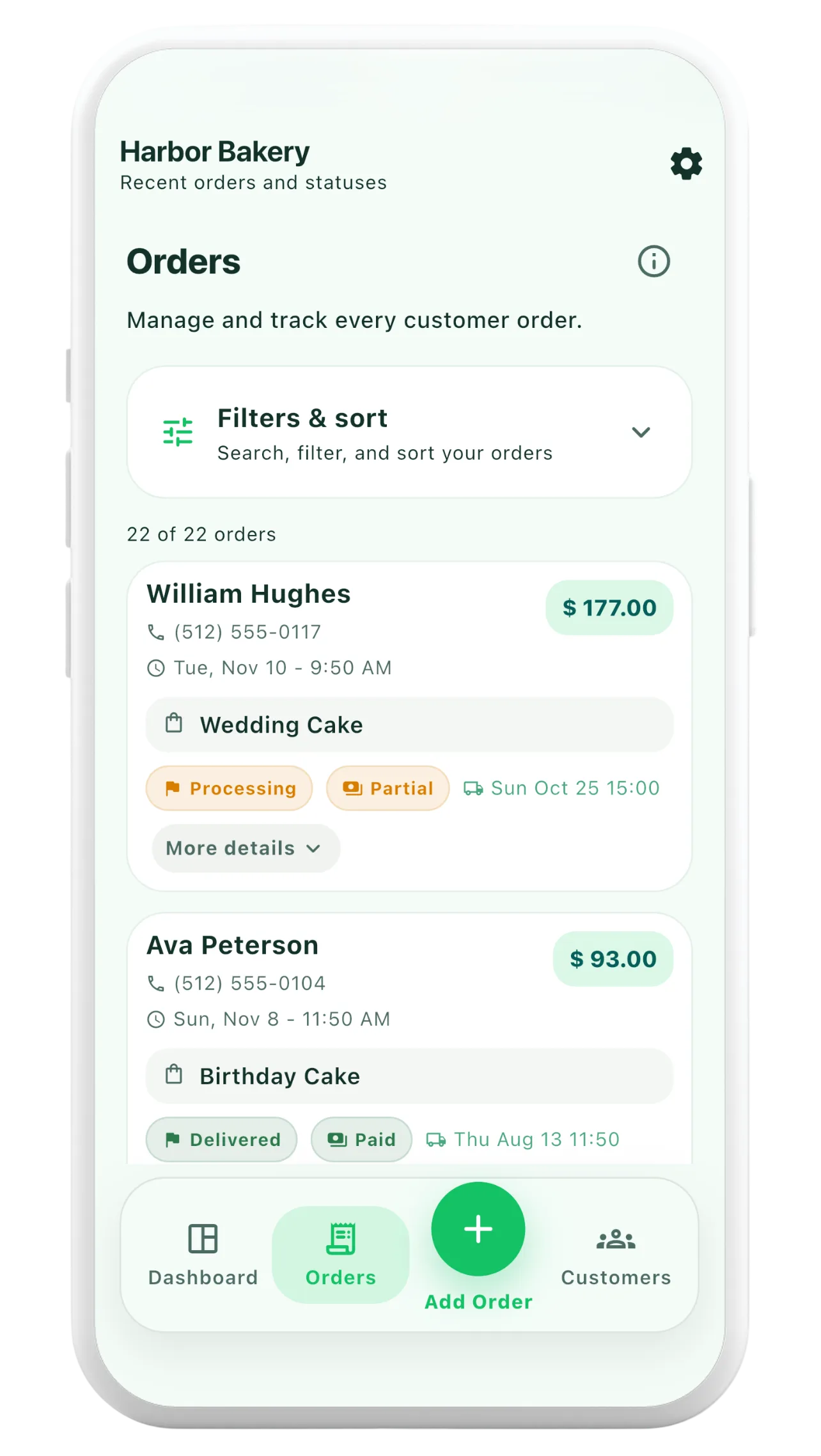
A notebook can work when orders are occasional and one person handles everything. A spreadsheet is useful when you need sortable records and custom formulas, but it takes care to keep entries consistent. A dedicated order app is helpful when you regularly look up customer history, update order statuses, share receipts and track partial payments.
Whatever you choose, start with a repeatable process. The tool will only be useful if important order details are recorded promptly. For a phone-based workflow, see Orderly's order tracking features.